Nov 17, 2026 · Clipfinch Team · 7 min read
Social media scheduling for restaurants in Chicago: a weekly plan built around Restaurant Week and patio season
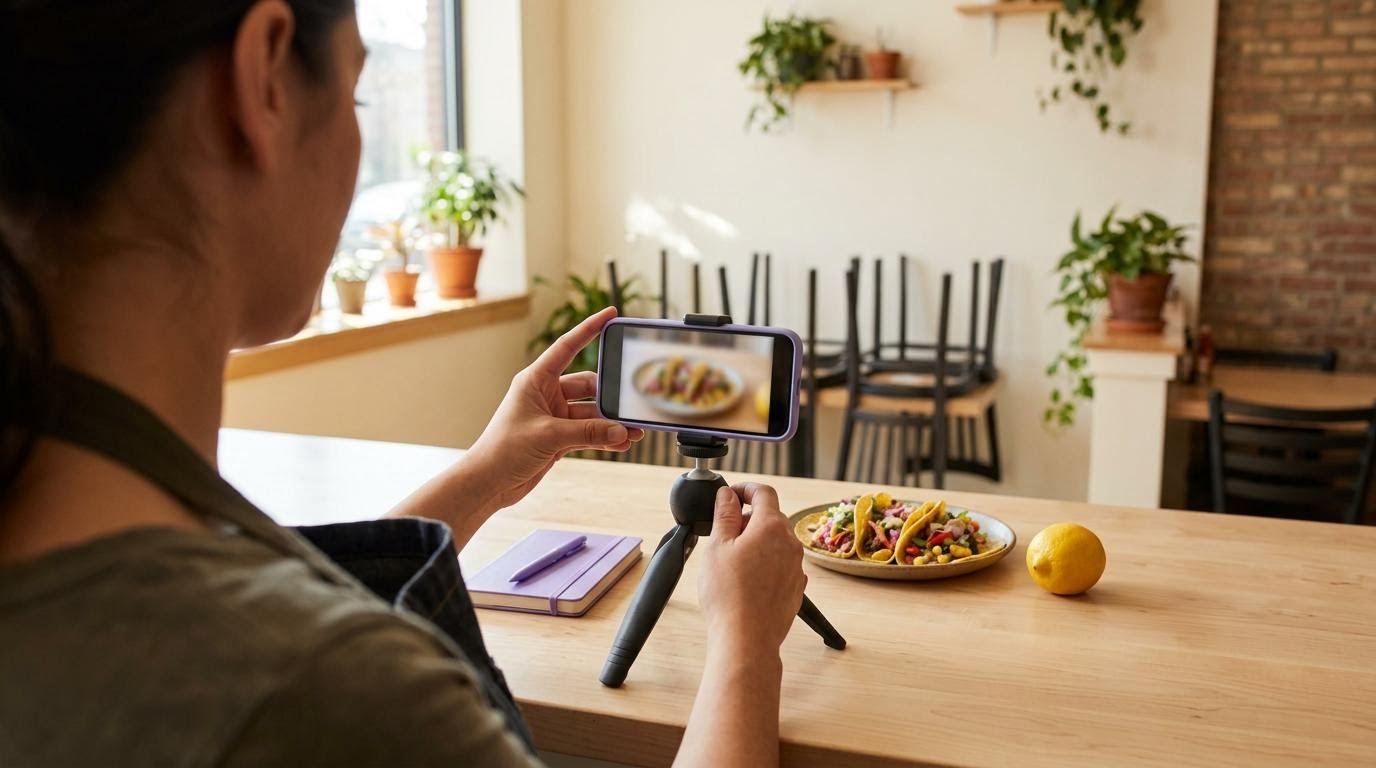
Social media scheduling for restaurants in Chicago works best when you plan around three things: the hour before people decide where to eat, the city's big seasons (Restaurant Week in winter, patio season in summer), and one batch-filming session a week so you aren't posting from the pass on a Friday night. This guide gives you a weekly plan, a seasonal calendar for Chicago, and the workflow to get a week of posts scheduled in about two hours.
Why Chicago restaurants need a different posting plan
Chicago diners make decisions on a tight clock. Lunch crowds in the Loop and River North choose between 11 and noon. Dinner plans in West Loop, Logan Square or Pilsen are often made between 4 and 6 p.m., on a phone on the CTA. A post that lands at 8 p.m., when the dining room is already full, does far less work.
Weather moves demand here more than you might expect. A warm Saturday in May fills every patio by noon. A January cold snap turns delivery and takeout into the main event. Your content plan should follow the same swings.
All times below are Central Time. If a freelancer or agency handles your posts from another time zone, schedule in Central and check the time zone setting in whatever tool you use.
A weekly posting plan for a Chicago restaurant
You don't need to post on every channel every day. For a single-location restaurant, this is a sustainable week:
| Day | Post | Format | Best time (CT) |
|---|---|---|---|
| Monday | Week ahead: specials, events, hours | Photo or carousel | 10 to 11 a.m. |
| Tuesday | Behind the line: one dish being made | Short vertical video, 15 to 30 sec | 4 to 5 p.m. |
| Wednesday | Staff or supplier story | Photo with a short caption | 11 a.m. |
| Thursday | Weekend push: reservations or the weekend special | Short vertical video | 4 to 6 p.m. |
| Friday | Atmosphere: the room or patio filling up | Short video or photo | 3 to 4 p.m. |
| Saturday | Brunch or the dish of the day | Photo | 9 to 10 a.m. |
| Sunday | Game day or next week tease | Photo or video | Late morning |
Treat these times as a starting point. Check your own reach after a month and move posts toward the hours that work for your crowd. The same weekly rhythm works for other local businesses too; see our plan for social media scheduling for realtors in Austin.
On game days, adjust. A Bears home Sunday changes traffic around Soldier Field and the South Loop, and a Cubs afternoon game fills Wrigleyville bars by early afternoon. If you're nearby, post the game-day menu the morning before.
A seasonal calendar for Chicago restaurants
Plan these 3 to 5 weeks ahead so your filming and photos are ready before the season starts.
January to February: Restaurant Week and winter comfort
Chicago Restaurant Week runs in late January into early February, with fixed-price brunch, lunch and dinner menus. Confirm this year's dates and the sign-up process on Choose Chicago before you plan. If you take part:
- Post the full menu as a carousel the week the participating list goes live.
- Film each course as a short clip in one session, then schedule one a day.
- Post a "tables left this weekend" update on Thursday afternoons during the event.
Outside Restaurant Week, winter is about comfort food, delivery and warm interiors. Show the soup, the fireplace, the steam off a bowl.
March to April: St. Patrick's Day and spring menus
The Chicago River is dyed green for St. Patrick's Day, and the downtown parade brings crowds near the river and the Loop. If you're in that area, post your hours and any specials a week out.
May to September: patio season
Patio season is when Chicago restaurants win or lose summer. Post your patio opening date, then show the patio regularly on warm afternoons. Lollapalooza in Grant Park in late July or early August and the many neighborhood street fests bring visitors who search for places nearby. Post walking-distance guides and late hours.
October to December: football, the marathon and the holidays
The Chicago Marathon in October fills neighborhoods along the route, including Lincoln Park, Pilsen and Chinatown. Post carb-loading specials the week before and recovery brunch the day of. From November, shift to holiday parties, gift cards and New Year's Eve. Party bookings start early, so post the private dining offer by early November.
Batch-film once a week, post all week
The most common reason restaurants stop posting is that nobody has time during service. Fix that with one filming session a week.
- Pick a quiet slot. Tuesday or Wednesday before prep, when the kitchen is clean and the light is good.
- Plan 5 to 7 shots. One per post in your weekly plan. Write them on a card: "chef plating the short rib", "bartender building the old fashioned".
- Film vertically. Shoot 9:16 for Reels, Shorts and TikTok. Keep each clip 15 to 30 seconds, with the dish in the first second.
- Take stills from the same session. Photos for the week ahead, the menu carousel and Saturday brunch.
- Write captions in one sitting. Keep them short. Name the dish, the price if you post prices, and how to book or order.
- Schedule the whole week. Then leave space for one or two same-day posts, like a sold-out special.
If you record a longer video, such as a chef interview or a cooking demo, you can cut it into several short clips. Our guide to turning one long video into a week of short clips shows how.
Scheduling the week without getting crops and failures wrong
Each platform has its own rules for video length, aspect ratio and cover images, and they change. Check the current limits in the Instagram Help Center and each platform's own help pages before you film a big series.
A few habits prevent most failed or badly cropped posts:
- Keep text and the dish in the center of the frame, so a square or 4:5 crop still works.
- Pick a cover frame for every video, ideally the finished dish, not a blurry first frame.
- Write a slightly different caption for each platform rather than pasting one everywhere.
A scheduling tool helps most when you post the same week to several channels. In Clipfinch, you create a post once, pick the channels and schedule it, and the composer checks the post against each channel's rules before it is queued. The browser video editor can trim a clip, reshape it to 9:16 and set the cover. For step-by-step Reels scheduling, see how to schedule Instagram Reels ahead of time.
Keep Google Business Profile posts for hours and specials. Many diners see your Google listing before your Instagram, so update it directly when your hours change for holidays or patio season.
Restaurant groups and freelancers: keep each location separate
If you run two or three locations, or a freelancer handles your posts, keep things separate from the start.
- One workspace per brand or location keeps each set of channels and team members apart, so the West Loop special doesn't post on the Evanston account.
- Approvals for new staff. A server who is good on camera can draft posts, and a manager approves them before they go out.
- No shared passwords. Give a freelancer access through each platform's official sign-in, and remove it the day they finish. Our guide to letting a social media manager post without sharing passwords covers the steps.
If you post only to Instagram for one location, you may not need a scheduling tool at all. Instagram's own scheduling may be enough.
Worked example: a hypothetical Logan Square taqueria
This is an invented example. A small taqueria in Logan Square posts to Instagram, Facebook and TikTok.
Every Tuesday at 10 a.m., the owner films for 45 minutes: tortillas pressed by hand, the al pastor on the trompo, a server bringing out a tray, and the patio in summer. She takes 15 photos in the same session. That afternoon she writes captions and schedules seven posts for the week, with the weekend push at 4:30 p.m. Thursday.
In January she switches to delivery and the pozole special. In late April she starts a countdown to patio opening.
Frequently asked questions
What is the best time for a Chicago restaurant to post?
Late morning for lunch spots in the Loop and River North, and 4 to 6 p.m. Central Time for dinner restaurants. Weekend brunch posts work well on Saturday morning. Check your own results after a month and adjust.
How often should a restaurant post on social media?
A post a day across your channels, like the plan above, is a good target, but three to five strong posts a week is enough to start. Consistency matters more than volume. One batch-filming session a week makes either realistic.
When should I start promoting Chicago Restaurant Week?
Start when the participating restaurant list goes live, usually a few weeks before the event. Have your menu photos and course clips ready before then. Confirm dates on the Choose Chicago site.
Do I need a scheduling tool for one restaurant?
Not always. If you post to one platform, its built-in scheduler may be enough. A tool helps when you post to several channels, work with a freelancer, or run more than one location.
Next step
Set up a workspace for your restaurant at Clipfinch, connect your channels, and schedule next week's posts after your next filming session.